


LiveMe+: Live Stream & Go Live
3.71.02K Reviews
App Specs
- Version
- 2.4.52
- Updated On
- License
- Free
- Downloads
- 1,000,000+
- Developer
- LiveMe+ Team
- Categories
- Social
- Platform
- Android
Screenshots




 Analysis by AppCompare
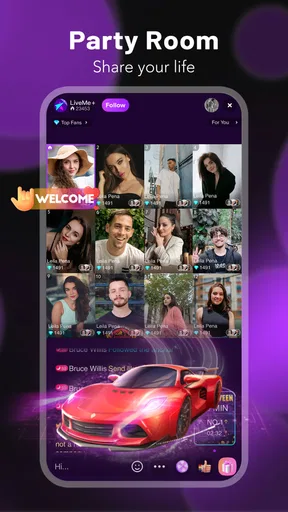
I opened LiveMe+: Live Stream & Go Live expecting a straightforward way to watch live broadcasts, and I found something broader: a social app built around live streaming, video chat, and chat rooms. Its real appeal is the movement from passive viewing to direct interaction. You can enter a live space, follow a conversation, send messages, and decide whether you want to remain an observer or become part of the room.
That flexibility makes it interesting, but it also means the experience depends heavily on the people you meet and the rooms you choose. This is not a polished video library where every item is predictable. It feels more like walking into a constantly changing social venue. Some rooms are lively and welcoming; others may not match your interests or comfort level. I would describe it as a social discovery app first and a streaming app second.
From opening the app to joining a live room
LiveMe+ is free to download, and the developer is LiveMe+ Team. It belongs to the social category, carries a Mature 17+ age rating, and has reached over one million installs. The current version is 2.4.52, with Android support starting at version 8.0. Those details matter because this is an app aimed at active social participation rather than a child-friendly viewing environment.
My first useful recommendation is to decide what you want from the app before browsing. If you only want background entertainment, jumping between broadcasts is easy enough. If your goal is to meet people, you will get more from it by choosing a room based on its conversation and atmosphere instead of staying with the first stream that appears. That small change turns random scrolling into a more deliberate workflow.
The starting condition is usually simple: you have a few spare minutes, want to see what people are doing live, or feel like chatting with strangers beyond your usual social circle. The app is especially suited to that moment when recorded content feels too passive. A live room gives you the possibility of an immediate response, which is the main difference from ordinary short-video feeds.
Still, I would not treat every visible room as equally suitable. A live environment can change quickly, and the Mature 17+ classification is a clear reminder to use judgment. Anyone who wants a tightly controlled, family-oriented social experience should look elsewhere. The same applies if you dislike public interaction, unpredictable conversations, or the pressure to respond in real time.
Choosing a room instead of endlessly scrolling
Once inside, I found that the most practical approach is to sample a room briefly before investing attention. Listen to the tone, notice whether the conversation is moving, and check whether the host’s style suits you. This is more useful than judging a broadcast only by its thumbnail or title because the actual value is in the live exchange.
Worth Reading Before You Choose

EA SPORTS FC Mobile 26 Is a Bigger Football Game, but It Takes Time

Flipboard Shows What News Apps Must Do Beyond the Feed

Switching to Android Auto Means Rethinking Your Driving Routine

Google Calendar Makes a Crowded Week Easier to Manage

Ludo King Makes the Most of the Minutes Between Plans

Baby Panda World Brings Quick Play to Modern Phones, but Its Game Library Feels Busy
For example, imagine finishing work and wanting company while preparing dinner. I would open a few rooms, stay long enough to understand the mood, and settle on one where the host is actively responding to chat. I could then type a short greeting, follow the discussion, and leave without making the session feel like a commitment. That is a realistic strength: the app can fill a small social gap without requiring a planned call with someone I already know.
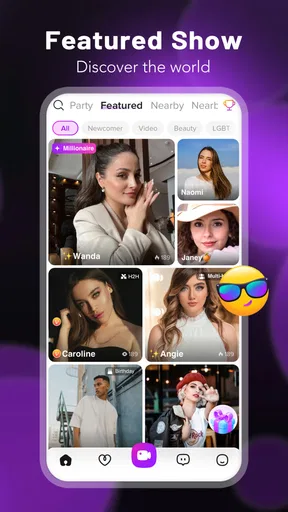
A second workflow works better when you are looking for a particular kind of interaction. Instead of treating the home screen as a complete recommendation system, use the available live spaces as starting points and pay attention to which hosts or conversations consistently hold your interest. Over time, this reduces the randomness of discovery. The trade-off is that building a comfortable routine takes attention; the app does not remove the need to curate your own experience.
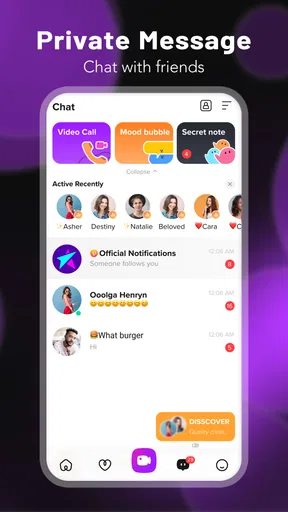
I also found that live viewing and video chat serve different purposes. A broadcast lets you remain mostly on the audience side, while video chat is more personal and demands greater awareness of what you share. I would begin with public interaction and only move toward more direct contact when I understood the person and the setting. That sequence is safer and less awkward than treating every new room as an invitation to become immediately personal.
How the conversation moves between people
The handoff from host to audience is where LiveMe+ becomes more than a streaming screen. A viewer can react through chat, and the host can decide whether to acknowledge that contribution. When the exchange works, the room feels collaborative rather than like a one-way performance. When it does not, you may be left watching a broadcast that has little reason for you to stay.
This makes timing important. A short, relevant message is more likely to fit naturally than a long introduction. I would avoid sharing personal details early and would not assume that a friendly response means a deeper relationship is appropriate. The app makes contact easy; deciding how much trust to place in that contact remains your responsibility.
There is also a handoff between public and more focused spaces. Chat rooms can be useful when you want a group atmosphere, while video chat may suit a smaller exchange. I see the two options as different levels of commitment. Group conversation is easier to leave without explanation, whereas a direct conversation can create stronger expectations. Choosing the lighter option first is a practical way to test compatibility.
That approach is one of the less obvious lessons of using the app: the best experience is not necessarily the most interactive one. Sometimes the right outcome is simply finding a room with a pleasant rhythm and participating lightly. Trying to force attention, immediate friendship, or constant activity can make the experience feel tiring instead of social.
Where spending can affect the experience
The app is free, but it includes in-app purchases ranging from $0.99 to $299.99 per item. I would treat that range as a reason to set a personal spending limit before becoming invested in a host or room. Live social environments can make small contributions feel emotionally meaningful, and repeated small purchases can become less small over time.
My practical rule would be to use the free experience long enough to decide whether the conversations themselves are valuable. Do not spend simply because a room is busy or because you want to be noticed. If you choose to buy anything, decide in advance what outcome you are paying for and whether that outcome genuinely improves your use of the app. This is especially important for anyone who is easily pulled into impulse spending.
The purchase structure also creates a social trade-off. A room may feel more active when viewers support a host, but financial participation is not the same as friendship or better conversation. I would keep those ideas separate. The strongest reason to return should be the quality of the interaction, not the feeling that spending is required to belong.
What the complete workflow produces
At its best, the flow is uncomplicated: open the app during a quiet moment, sample live rooms, choose one with a compatible atmosphere, join the chat, and leave with either a pleasant conversation or a new creator worth revisiting. That result is modest, but it is exactly where the app works well. It creates opportunities for spontaneous contact without demanding that every session become a major social event.
For someone who regularly feels isolated while studying, commuting, or doing routine tasks, that can be useful. A live room provides a sense that other people are present now, not merely that someone recorded something earlier. I would still use it as a supplement to real relationships, not a replacement for them. The app can open a door to interaction, but it cannot guarantee depth, reliability, or lasting connection.
The rating sits at around 3.7 from roughly ten thousand ratings, with about one thousand written reviews. I read that as a sign of a mixed but meaningful experience rather than a universal recommendation. The app clearly has enough reach to attract a substantial audience, yet the quality of a social platform cannot be measured only by its average score. Your result will depend on the rooms available when you visit and how actively you shape your feed of interactions.
Compared with a conventional video platform, LiveMe+ feels more immediate and less polished. Recorded services are better when you want reliable production, precise topics, or the ability to pause and return later. Compared with a private messaging app, this is better for discovery and public participation, but worse for dependable conversations with people you already trust. Compared with a group video service, it offers a more open path into social spaces, while giving you less control over who is present.
Where the flow breaks down
The first weak point is inconsistency. A live room can be engaging one day and dull the next, and there is no guarantee that browsing will quickly produce something worthwhile. If you need predictable content, this uncertainty will feel like wasted time. My workaround is to leave quickly when a room is not working instead of waiting for it to improve.
The second problem is social friction. Joining a conversation can feel awkward, especially when the host is focused on another viewer or the room moves quickly. The app makes entry possible, but it cannot make the welcome feel genuine. New users should expect a little trial and error rather than assuming every message will receive attention.
Privacy and boundaries are another important part of the workflow. Live interaction encourages spontaneity, yet anything shared in a public setting should be chosen carefully. I would avoid revealing a workplace, exact routine, contact details, or information that could identify where I live. Anyone uncomfortable with visibility should stay with observation and group chat, or skip the app entirely.
The Mature 17+ rating also changes who I would recommend it to. I would not install it for a younger teenager, and I would not assume that an apparently friendly room is appropriate for every viewer. Parents looking for a controlled social product should choose a service designed specifically for younger audiences instead.
Finally, the purchase range can become a distraction from the main purpose. If you notice yourself checking rooms mainly to support particular hosts, or feeling pressure to spend to remain involved, the workflow has stopped working in your favor. Taking a break or using the app only for free viewing is the sensible response.
Who should try it and who should skip it
I would recommend LiveMe+ to adults who enjoy spontaneous live conversation, like discovering unfamiliar creators, and can manage boundaries in public social spaces. It is a good fit for short sessions, casual companionship, and people who prefer interaction over silent scrolling. It also suits users willing to curate their own experience instead of expecting the app to deliver a perfect room every time.
I would skip it if I wanted private, dependable communication, carefully edited entertainment, or a social network made up mainly of people I already know. I would also avoid it if unpredictable rooms, direct interaction, or optional spending tend to create stress. In those cases, a private messenger, a traditional streaming service, or a moderated community platform would probably be a better match.
After using it, my view is favorable but measured. LiveMe+ is strongest when you approach it as a doorway to live social moments, not as a guaranteed source of entertainment or friendship. Start with observation, choose rooms thoughtfully, keep personal information private, and decide your spending boundary before the social energy takes over. Follow that workflow and the app can be an enjoyable way to meet fresh voices worldwide; ignore those limits and its unpredictability becomes the main experience.
Pros
- Easy to discover live streams through categories and personalized recommendations.
- Interactive comments
- reactions
- and virtual gifts make broadcasts feel engaging.
- Supports creator communities and regular interaction with favorite streamers.
- Live notifications help users avoid missing broadcasts from followed creators.
- Offers multiple ways to express yourself beyond traditional video streaming.
Cons
- Content quality varies widely between streamers and broadcasts.
- Public chats may include spam
- inappropriate language
- or unwanted attention.
- Virtual gifts and premium features can encourage unexpected spending.
- The app may use considerable battery and mobile data during long streams.
- Privacy settings require attention when sharing video
- location
- or personal details.
FAQs for LiveMe+: Live Stream & Go Live
What is LiveMe+: Live Stream & Go Live used for?
LiveMe+ is a social live-streaming platform where users can broadcast themselves in real time, watch other creators, chat with viewers, and discover entertainment across different categories. After installing the app, you can create a profile, follow streamers, join live conversations, send messages, and interact through virtual gifts. The experience is centered on spontaneous video content and community participation rather than traditional recorded social posts.
Is LiveMe+ free to download and use?
LiveMe+ can generally be downloaded and used without an upfront purchase, allowing users to browse live broadcasts, create an account, and participate in chats. However, some optional features may involve in-app purchases, including virtual coins, gifts, or other premium interactions. Before spending money, check the current pricing shown in the app store and review the platform’s payment, refund, and subscription information carefully.
Do I need an account to watch live streams on LiveMe+?
You may be able to browse or preview some live content without completing a full registration, but an account is usually required for active participation. Signing in lets you follow broadcasters, post comments, send messages, receive notifications, and possibly start your own live stream. Account creation may use an email address, phone number, or supported social login, depending on the version and region.
Is LiveMe+ safe for children and teenagers?
LiveMe+ contains user-generated live video, real-time chat, and interactions with strangers, so content and conversations may not always be suitable for children. Parents should review the app’s age rating, privacy options, moderation tools, and community guidelines before allowing access. It is also important to discuss not sharing personal information, location details, passwords, or private images with other users.
What do I need to start broadcasting on LiveMe+?
To start a live broadcast, you generally need a registered account, a device with a working camera and microphone, and a reliable internet connection. The app may request permission to access these features before streaming begins. A stable Wi-Fi or mobile-data connection improves video quality, while good lighting and a quiet environment make broadcasts easier to watch. Review the platform rules before going live.


